Real Estate Video Editing Guide
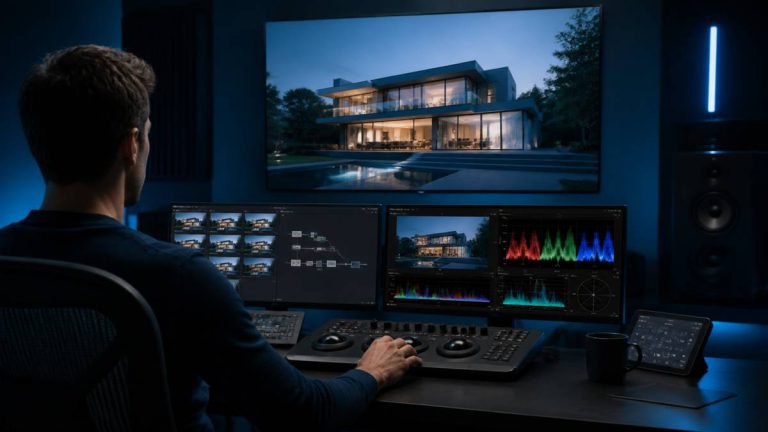
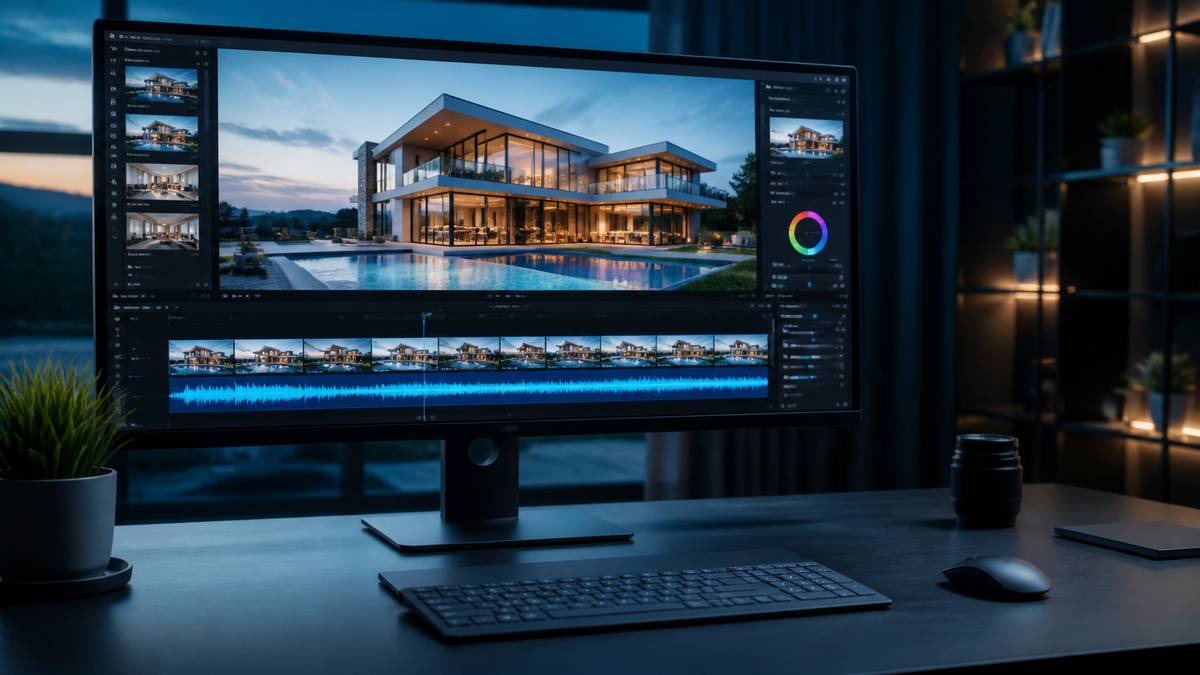
Real estate video editing is the post-production process of turning raw property footage into a finished listing video. It covers clip selection, pacing, colour correction and grading, stabilisation, music synchronisation, captions, branding and export to the formats a listing needs. For a standard residential listing it takes a professional editor two to four hours and costs between $99 and $299 to outsource.
This guide covers the whole subject: what the process actually involves, what it costs, how to decide between editing yourself and outsourcing, and how to judge whether an edit is any good.
Editorial note. This guide is maintained by the editing team at Real Estate Video Editor. Figures are sourced and dated. If something here is out of date or wrong, email [email protected] and we will correct it.
What real estate video editing involves
Property editing is a specific craft with its own conventions. The seven stages below are what a professional editor works through on every listing.
| Stage | What happens | Typical time |
|---|---|---|
| Ingest and review | All footage reviewed, unusable clips discarded, usable clips logged | 20–40 min |
| Assembly | Clips sequenced into walkthrough order, rough length established | 30–45 min |
| Pacing | Cut points refined, shot durations adjusted, rhythm established against music | 30–60 min |
| Colour | Correction first (exposure, white balance), then grading (look, consistency) | 30–60 min |
| Audio | Music selected and synced to cuts, audio cleaned, sound design added | 20–40 min |
| Graphics | Titles, lower thirds, property overlays, logo, end card | 20–40 min |
| Export | Multiple aspect ratios, branded and unbranded, encoding per destination | 15–30 min |
Total for a standard listing: two to four hours of skilled work. A luxury property film with layered sound design and a detail sequence runs to a full day or more.
How much does real estate video editing cost?
Editing a standard listing video costs between $30 and $150 through marketplaces and dedicated outsourcing shops, and $300 to $800 through mid-market production companies in the United States. In major metros, full-service production reaches $1,000 to $2,500.
| Provider type | Price per video | What you get |
|---|---|---|
| Low-tier freelancer | $10 – $30 | Basic cut, no grading, inconsistent quality |
| Freelance marketplace | $30 – $150 | Variable — depends entirely on the individual |
| Dedicated outsource shop | around $140 | Grading, audio, music sync, multi-format, fast turnaround |
| Us | $99 – $299 | See our pricing |
| Mid-market production company | $300 – $800 | Includes filming in most cases |
| Marketing agency | $400 – $900+ | Bundled with strategy |
| High-demand metro | $1,000 – $2,500 | Full production, major market rates |
Rush pricing: a 48 to 72 hour turnaround typically prices at $400 to $800 in the mid-market band. Sub-24-hour delivery usually carries a 25% to 50% premium.
*Figures compiled August 2026 from published rate cards across the real estate media industry.*
Should you edit it yourself or outsource?
This is a capacity question, not a skill question. The honest way to answer it is to price your own time.
| Edit it yourself | Outsource | |
|---|---|---|
| Cost per video | $0 cash | $99–$299 |
| Your time per video | 2.5–4 hours | 10 minutes |
| Cost of your time at $75/hr | $188–$300 | $13 |
| Consistency | Varies with your energy | Locked to a documented standard |
| Turnaround | Whenever you get to it | 24–48 hours |
| Software cost | $23–$55/month | $0 |
| Learning curve | Months | None |
Edit yourself if you shoot fewer than two properties a month, genuinely enjoy editing, or need total creative control. Outsource if editing is the reason you are turning down shoots, or if you are an agent whose time is better spent on listings than on timelines.
The seven things that separate good property editing from bad
- Consistent white balance across rooms. Mixed lighting shifts colour every time the camera moves. Correcting per room is the single biggest quality marker.
- Drone and interior footage that match. Different sensors render colour differently. If the cut from aerial to entry is visible, nobody matched them.
- Pacing that changes. Every shot at the same length reads as a slideshow. Good editing varies shot duration deliberately — longer on the hero spaces, shorter on transitions.
- Music that syncs to cuts. Cutting on the beat is basic and its absence is immediately noticeable even to viewers who cannot articulate why.
- Vertical versions that are reframed, not cropped. Centre-cropping 16:9 to 9:16 removes 56% of the frame, usually including the subject.
- Stabilisation that is not over-applied. Too much stabilisation produces a warping, floating look that is worse than the original jitter.
- Graphics that stay inside safe zones. Text under the platform UI is text nobody reads.
How long should a listing video be?
| Property type | Length | Reasoning |
|---|---|---|
| Entry-level condo or apartment | 45–60s | Few distinct spaces; attention drops fast |
| Standard family home | 75–105s | Enough rooms to justify pacing variety |
| Luxury or estate | 120–180s | Buyers expect immersion; slow pacing signals value |
| New development unit | 60–90s | Repeatable across units |
| Land or lot | 45–75s | Mostly aerial |
| Commercial | 90–150s | Site context and specifications need screen time |
| Vertical social cut | 20–35s | Platform retention curve |
Formats you actually need
A property video is not one file. A complete delivery is five, and if your editor gives you one, they have done half the job.
- 16:9 branded — your website, YouTube, listing presentations, email
- 16:9 unbranded — MLS syndication, where agent branding is usually prohibited
- 9:16 vertical — Instagram Reels, TikTok, YouTube Shorts
- Short teaser, 20–35s — Stories and announcement posts
- Still frames — pulled from the video at full resolution for portals and print
How to prepare footage for an editor
- Send everything. Do not pre-select. A good editor would rather discard 40 clips than be short 4.
- Do not pre-edit. Cutting before sending destroys the editor’s options and rarely saves time.
- Send the original files, not exports from your phone’s gallery, which are re-compressed.
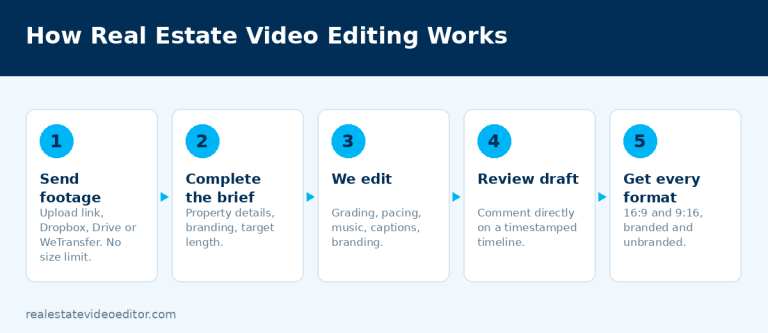
- Include a brief. Property details, branding, target length, any reference video you like.
- Flag anything unusable so nobody wastes time on it.
- Use one transfer method rather than splitting across three services.
Frequently asked questions
How long does real estate video editing take?
A professional editor takes two to four hours of working time on a standard listing. Outsourced turnaround is typically 24 to 48 hours, which includes queue time and a revision round.
What software do professional real estate editors use?
Predominantly Adobe Premiere Pro and DaVinci Resolve, with Final Cut Pro common among Mac-based editors. See our comparison of video editing software for real estate.
Can you edit footage shot on a phone?
Yes. Modern phones shoot excellent property video. Steady movement and consistent exposure matter far more than the camera.
Is AI going to replace real estate video editors?
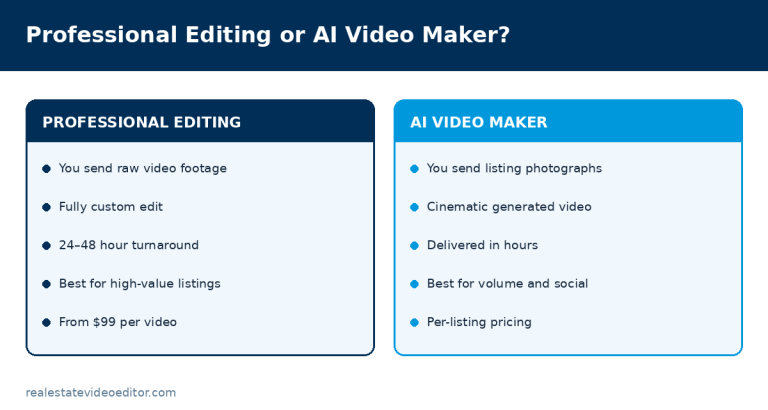
For high-volume, low-stakes social content, largely yes, and quickly. For listings where the video is the primary marketing asset, no — creative judgement about pacing, emphasis and grading is the actual product and it is not close to being automated.
How many revisions should I expect to need?
One, if the brief was clear. Two rounds is the industry standard inclusion. If you routinely need three or more, the brief is the problem, not the editor.
Need this done rather than explained? We edit real estate video for agents, photographers and brokerages worldwide, from $99 with 24 to 48 hour turnaround. See our editing service or get a quote.
A worked example: a 45-minute walkthrough shoot
Take a typical single-family listing shoot: roughly 45 minutes of handheld and gimbal walkthrough footage plus 8 minutes of drone. The finished 90-second listing video uses about 4% of that raw footage — the other 96% is discarded because it’s redundant coverage, unstable, or shows a transition (hallway, staircase) that doesn’t need its own moment on screen.
The editing sequence in practice: cull for stability and exposure first, then colour-match every clip to a single reference frame (usually the kitchen, since it has the most mixed lighting), then build the room order (exterior → entry → kitchen → primary bedroom → remaining rooms → backyard/drone), then cut to a 110–130 BPM track, then add lower-third address/price text, then export the 16:9 branded, 16:9 unbranded, and 9:16 versions separately rather than as a single master with variants.
What tends to go wrong without a checklist
- Mixed white balance carried into the final cut because the editor graded room-by-room instead of matching everything to one reference frame first.
- A branded version sent to the MLS by mistake, which gets a listing pulled from syndication in some markets until it’s replaced.
- A vertical cut that’s just a centre-cropped horizontal edit, which removes roughly 56% of the frame width and frequently cuts furniture or people out of shot.
- No unbranded version delivered at all, discovered only when the agent tries to upload to the MLS and gets rejected.
Written by the editing team at Real Estate Video Editor. We edit property video every day for agents, photographers and brokerages. Figures on this page carry a source and a date. If something here is out of date or wrong, email [email protected] and we will correct it.

Specialist real estate video editors. We turn property footage and listing photographs into finished listing videos for agents, photographers and brokerages worldwide.
[email protected]
Replies within 4 business hours
Editing Services
AI Video Maker
Guides & Resources
Serving real estate agents, property photographers and brokerages in the United States, Canada, the United Kingdom, Australia and worldwide. All editing performed by a dedicated real estate video team. We do not shoot on location — everything is remote and digital.
- © 2026 Real Estate Video Editor
- Privacy Policy
- Terms of Service
- Acceptable Use
- Refund Policy
- AI Transparency