Real Estate Drone Video Guide: Shooting and Editing Aerial Property Footage
Real estate drone video is aerial footage used to show a property, its plot and its surroundings. To do it legally for payment in the US you need an FAA Part 107 certificate. To do it well you need six specific shots, a log colour profile, slow deliberate movement, and a level horizon — because horizon drift is the single most common reason aerial property footage looks amateur.
What actually needs correcting in drone footage before it’s usable
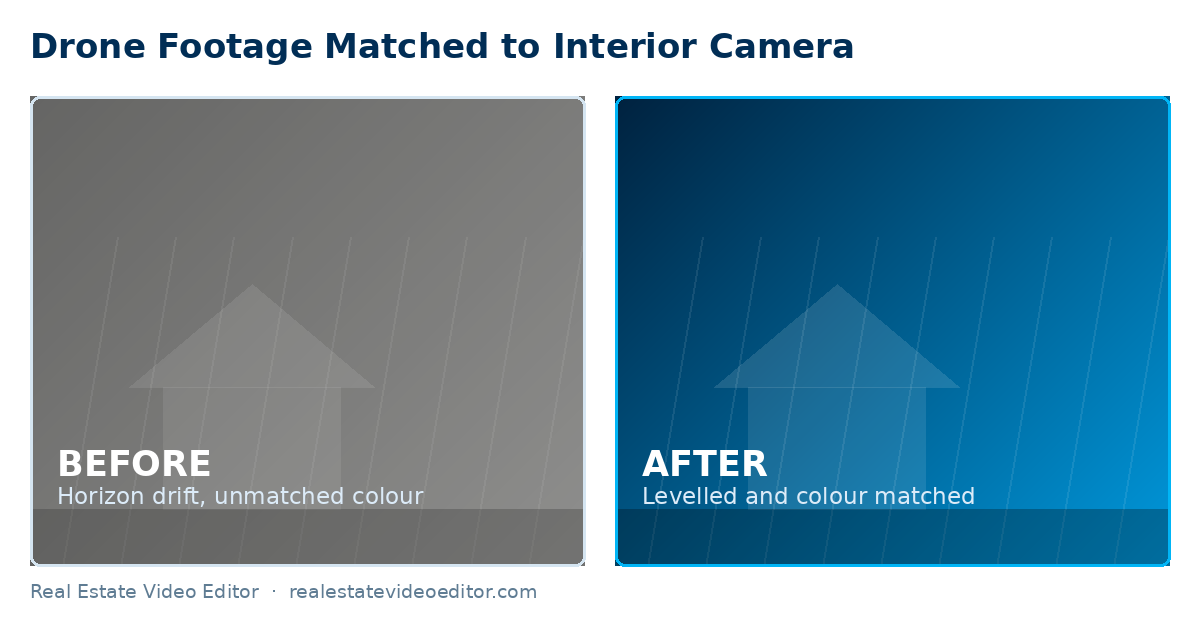
- Horizon drift — even small tilt is far more noticeable from the air than at ground level and needs levelling before anything else.
- Lens distortion at the wide end — straight architectural lines (a roofline, a fence) bow visibly unless corrected.
- Log-to-Rec.709 colour conversion — drone footage shot flat needs the manufacturer LUT applied before it will match interior footage at all.
- Exposure flicker across a long orbit or reveal shot, caused by the camera’s auto-exposure hunting as light changes — smoothed out with exposure keyframing, not a single flat correction.
A regulatory note worth taking seriously
In the US, commercial drone operation for a paid listing shoot falls under FAA Part 107 — this applies to the person flying, not just the editor. If you’re hiring a photographer or videographer to shoot drone footage for a listing, confirm they hold a Part 107 certificate; it’s a common and avoidable liability gap. See the FAA commercial operator guidance for the current requirements.
Written by the editing team at Real Estate Video Editor. We edit property video every day for agents, photographers and brokerages. Figures on this page carry a source and a date. If something here is out of date or wrong, email [email protected] and we will correct it.
The legal position first
In the United States, flying a drone to produce marketing material for payment is commercial operation and falls under FAA Part 107. That requires a Remote Pilot Certificate. Other markets have equivalents — the UK, Canada and Australia all license commercial drone operation.
This is the agent’s or photographer’s responsibility. If you are hiring a drone operator, ask to see the certificate before the shoot, not after.
The six shots every property needs
- High wide establishing shot. The property in its setting, from about 40 metres, angled down roughly 45 degrees. This is the shot that opens or closes almost every listing video.
- Slow orbit at roof height. Half an orbit is usually enough. Full orbits get boring at 20 seconds.
- The reveal. Rising from behind a tree, hedge or roofline to disclose the property. Shoot it twice — once at normal speed, once slower. You will use the slow one.
- Push toward the property. Starting wide and moving in, at walking pace or slower.
- Straight-down top shot. Shows plot shape and boundary. This is the shot that sells land and the one most people forget.
- Neighbourhood context. Wide, high, showing proximity to green space, water, transport or the town centre.
Camera settings
| Setting | Recommendation | Why |
|---|---|---|
| Resolution | 4K minimum | Room to reframe for vertical without quality loss |
| Frame rate | 24 or 30fps; 60fps for anything to be slowed | 24fps reads cinematic |
| Shutter | Double the frame rate (1/50 at 24fps) | Natural motion blur; use ND filters to achieve it |
| ND filters | Essential in daylight | Without them you cannot hold the correct shutter |
| Colour profile | D-Log, D-Log M or D-Cinelike | Grading latitude — apply the manufacturer LUT in post |
| ISO | Base ISO wherever possible | Aerial sensors are small; noise appears quickly |
| White balance | Locked, not auto | Auto shifts as you turn through the sky |
Profile availability varies by model — check the manufacturer specifications for your drone before the shoot.
Time of day
Golden hour, near the start or end of the day. Midday sun produces harsh shadows on the elevation and a blown-out sky that cannot be recovered. If you can only fly at midday, shoot with the sun behind you and accept that the sky will be flat.
Overcast is better than harsh sun for the property itself, but produces a grey sky that looks dead in the wide shots. A partly cloudy afternoon is the ideal compromise.
Editing aerial footage
Four technical corrections apply to almost every aerial clip. All are covered in our drone video editing service.
- Horizon levelling. Correct across the whole move, not at a single keyframe.
- Lens distortion. Wide drone lenses bend straight lines. On a property, where roof ridges and fence lines are the subject, that matters.
- Colour matching to your ground camera. Different sensors render greens and skies differently. Match on scopes before grading.
- Log transform before grading. Apply the manufacturer LUT first rather than grading from log directly — see Adobe’s colour workflow reference.
What cannot be fixed in post
Fixable
- Horizon drift
- Lens distortion
- Flat log footage
- Colour mismatch
- Mild over- or under-exposure
- Small gust wobble
Not fixable
- Blown-out sky with no data
- Motion blur from flying too fast
- Out-of-focus clips
- Heavy haze or rain
- Missing coverage
- Very low bitrate footage
Frequently asked questions
Do I need a licence to shoot real estate drone video?
In the United States, yes — commercial operation requires an FAA Part 107 Remote Pilot Certificate. Most other markets have an equivalent requirement. If you are hiring an operator, ask to see the certificate before the shoot.
What drone is best for real estate video?
For most property work a DJI Mini 4 Pro or Air 3 is more than sufficient and avoids weight-based registration thresholds in some markets. A Mavic 3 Pro adds better low light and a longer lens. Technique matters far more than the model.
How high should I fly for real estate?
Most useful property footage is between 15 and 50 metres. Higher than that and the property stops being the subject. Check the altitude limits that apply in your airspace.
Can drone footage be cut with interior footage?
Yes, and doing it well is largely a colour-matching problem. The two cameras render colour differently, so they need matching on scopes before grading or the cut between them is visible.
How long should the aerial section of a listing video be?
Usually 6 to 12 seconds within a standard listing video. For land, plots and estates it can be most of the video.
Have drone footage to edit? We correct, grade and integrate aerial footage with your interior clips from $99. See drone video editing.
Sources and further reading
We link out to primary sources rather than to other blogs. Where a figure on this page comes from research we did not conduct, the original study is linked below.
- FAA Part 107 — Small Unmanned Aircraft Rule — US requirements for commercial drone operation, which apply to anyone filming a listing for pay.
- DJI — Official product specifications — Manufacturer specifications for the drones whose footage we colour-grade, including colour profiles.
- Adobe — Working with log footage and LUTs in Premiere Pro — Technical reference for the log-to-Rec.709 workflow described on this page.
- Google Search Central — Video SEO best practices — Google’s own documentation on how video pages are crawled, indexed and shown in search.
Related guides
How to Shoot Real Estate Video
Camera settings, movement and lighting for the whole shoot.
Written by the editing team at Real Estate Video Editor. We edit property video every day for agents, photographers and brokerages. Figures on this page carry a source and a date. If something here is out of date or wrong, email [email protected] and we will correct it.

Specialist real estate video editors. We turn property footage and listing photographs into finished listing videos for agents, photographers and brokerages worldwide.
[email protected]
Replies within 4 business hours
Editing Services
AI Video Maker
Guides & Resources
Serving real estate agents, property photographers and brokerages in the United States, Canada, the United Kingdom, Australia and worldwide. All editing performed by a dedicated real estate video team. We do not shoot on location — everything is remote and digital.
- © 2026 Real Estate Video Editor
- Privacy Policy
- Terms of Service
- Acceptable Use
- Refund Policy
- AI Transparency