Turn Real Estate Photos Into Video
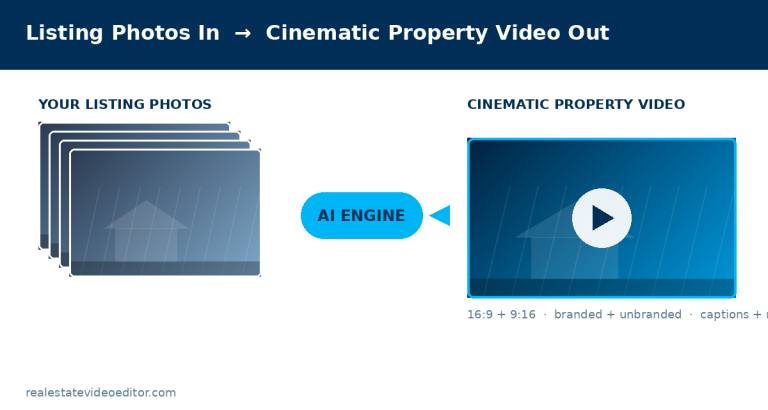
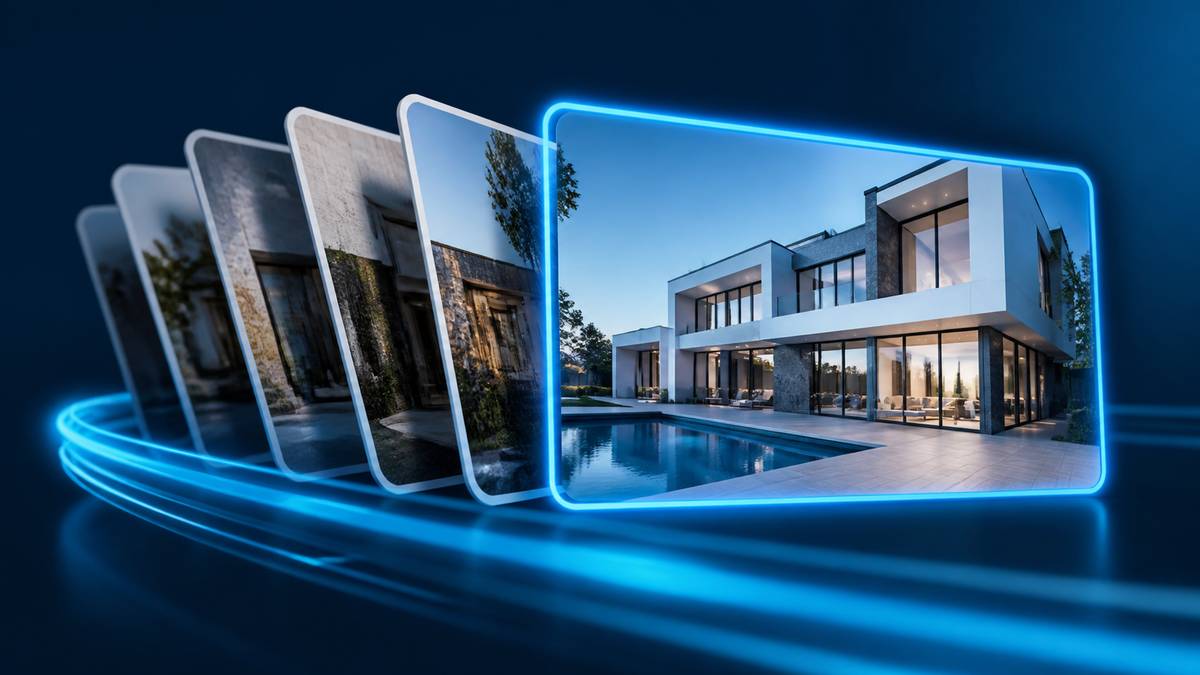
You can turn listing photographs into a property video using AI photo-to-video tools, which generate camera movement and depth from each still image and sequence them into a walkthrough. You need 8 to 30 photographs, ordered to follow a natural path through the property, at full resolution. Each photograph typically becomes 2.5 to 3.5 seconds of video.
This guide covers what works, what does not, and how to prepare photographs so the result is usable.
Editorial note. This guide is maintained by the editing team at Real Estate Video Editor. Figures are sourced and dated. If something here is out of date or wrong, email [email protected] and we will correct it.
How many photographs you need
| Property type | Photographs | Resulting video length |
|---|---|---|
| Studio or one-bed apartment | 8–12 | 25–40 seconds |
| Two to three bed home | 12–18 | 40–60 seconds |
| Four+ bed family home | 18–25 | 60–85 seconds |
| Luxury or estate | 25–30 | 85–120 seconds |
| Commercial | 15–25 | 55–90 seconds |
The order matters more than anything else
This is the single highest-impact decision and most people get it wrong by uploading photographs in the order they came off the camera. Order them as a buyer would physically walk the property:
- Exterior approach
- Entry or hallway
- Main living space — your strongest image
- Kitchen, wide first then detail
- Dining and secondary living
- Primary bedroom, then remaining bedrooms
- Bathrooms
- Outdoor space
- Aerial or context shot to close
Which photographs work, and which do not
Works well
- Full-resolution files straight from the camera
- Wide shots showing a whole room
- Even, natural lighting
- Clear foreground, middle and background depth
- Corrected verticals
- HDR or flambient blended interiors
Works badly
- Low-resolution portal downloads
- Screenshots of photographs
- Heavy composites
- Images containing people
- Extreme wide-angle distortion
- Very dark or blown-out frames
How AI generates movement from a still image
- Depth estimation. The model produces a per-pixel estimate of distance from the camera.
- Layer separation. The image is split into depth layers — foreground, mid-ground, background, through-window.
- Motion path generation. A camera path is chosen to suit the space: a push-in for a living room, a lateral drift for a long kitchen, a rise for a tall entrance.
- Parallax rendering. As the virtual camera moves, near layers shift more than far layers. That parallax is what makes it read as real rather than as a zoom.
- Gap filling. Movement reveals areas hidden behind foreground objects, and the model fills them. This is where artefacts appear when the movement is too aggressive.
Photo preparation checklist
- Export at full resolution — do not resize down
- Correct verticals so walls are straight
- Blend or bracket interiors so windows are not blown out
- Remove people and pets from every frame
- Neutralise colour casts from mixed lighting
- Turn lights on consistently — all on or all off
- Remove clutter before shooting rather than editing after
- Shoot each room wide enough to show its full extent
- Include foreground depth in every key room
- Avoid mirrors reflecting the photographer
- Keep white balance consistent across the set
- Number the files in walkthrough order before uploading
Limits you should know about
- It cannot show what was not photographed. No image of the utility room means no utility room in the video.
- Movement is generated, not filmed. It reads as movement, but it is not a camera walking through a space and a discerning viewer can tell.
- Windows are the hard case. The view beyond is effectively at infinite distance and tears if the camera moves too far.
- Foliage is the other hard case. Fine detail makes gap-filling artefacts more visible on exteriors.
- It will not beat a real video shoot for a listing where the video is the primary marketing asset. It will beat having no video at all, which is the actual alternative for most listings.
Photo-to-video or hire an editor?
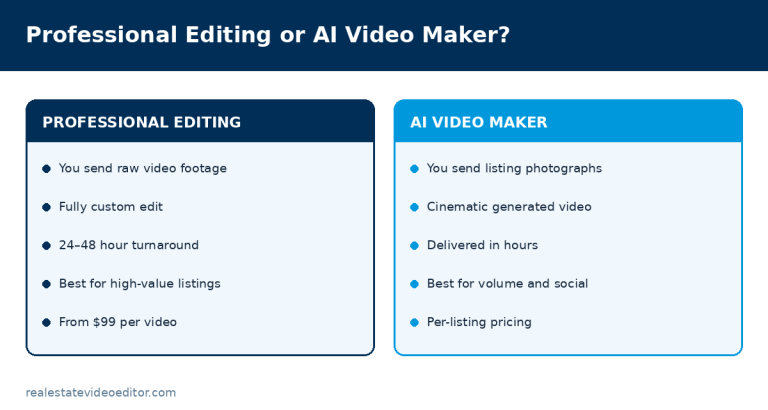
| AI photo-to-video | Professional editing | |
|---|---|---|
| You need | Listing photographs | Video footage |
| Time to result | Minutes | 24–48 hours |
| Cost | Per listing or per credit | From $99 |
| Best for | Volume, social content, listings with no video budget | Listings where video is the marketing |
| Ceiling on quality | Template-bound | As good as the footage and the editor |
We are building an AI real estate video maker that does exactly this. If you have video footage and want it edited properly today, see our editing service.
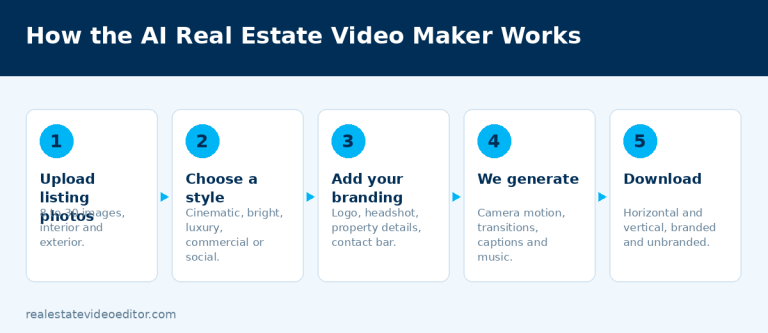
Our AI real estate video maker does exactly this. Send 8 to 30 listing photographs and we return a finished cinematic property video in horizontal and vertical, branded and unbranded, from $49 per listing. See the AI video maker or send your photos. Have video footage instead? Our editing service produces a fully custom edit in 24 to 48 hours from $99.
What a photo-to-video conversion actually looks like
Starting from 8–20 listing photographs, the process generates simulated camera movement (slow push-ins, pans) per photo, transitions between them, a music bed, captions and your branding, then assembles the sequence in the same room order a filmed walkthrough would follow — exterior first, then the strongest interior room, then the rest. The result is not a substitute for real footage of movement through a space, but it’s a genuine video where none existed, built in minutes rather than requiring a re-shoot.
When photo-to-video is the right call, and when it isn’t
Good fit
- A listing going live today with no time to schedule a shoot
- A budget that doesn’t support a full production
- Photos already exist and are well-lit
Better to film instead
- A luxury listing where buyers expect cinematic motion through the space
- A property whose main selling point is scale or flow, which photos alone underrepresent
- You have time and budget for a proper shoot
Written by the editing team at Real Estate Video Editor. We edit property video every day for agents, photographers and brokerages. Figures on this page carry a source and a date. If something here is out of date or wrong, email [email protected] and we will correct it.

Specialist real estate video editors. We turn property footage and listing photographs into finished listing videos for agents, photographers and brokerages worldwide.
[email protected]
Replies within 4 business hours
Editing Services
AI Video Maker
Guides & Resources
Serving real estate agents, property photographers and brokerages in the United States, Canada, the United Kingdom, Australia and worldwide. All editing performed by a dedicated real estate video team. We do not shoot on location — everything is remote and digital.
- © 2026 Real Estate Video Editor
- Privacy Policy
- Terms of Service
- Acceptable Use
- Refund Policy
- AI Transparency